আপনার Windows PC এর সকল সমস্যা সমাধান পাবেন এক জাইগাতে
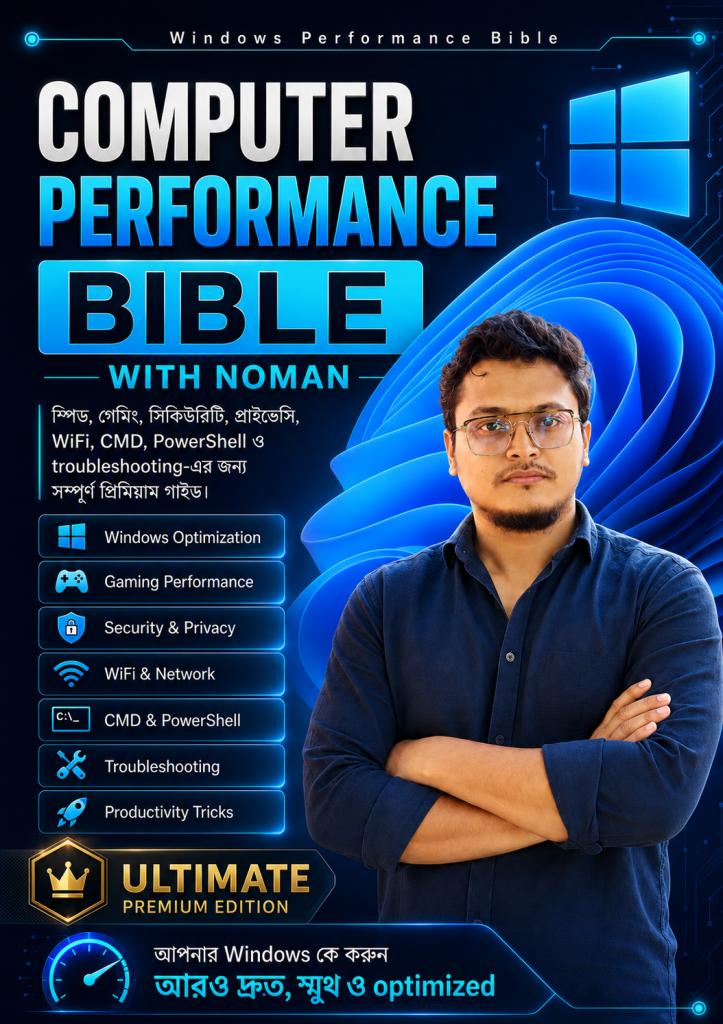
Windows Performance Bible হলো একটি complete Windows optimization handbook, যেখানে Speed Boost, Gaming FPS, Security, Privacy, WiFi, CMD, PowerShell, PowerToys, Safe Tweaking Tools, Troubleshooting এবং Used PC/Laptop Buying Checklist step-by-step Bangla ভাষায় দেওয়া আছে।
এই বইতে যা যা আছে
Windows optimization শেখার জন্য complete, safe এবং beginner-friendly guide.
WhatsApp Support
বইয়ে সমাধান না পেলে WhatsApp-এর মাধ্যমে সরাসরি সমস্যার সমাধান নিতে পারবেন।
Monthly Updates
নতুন Windows feature ও কার্যকর tips যোগ করে বইটি প্রতি মাসে update করা হবে।
Software Collection
কম্পিউটারের প্রয়োজনীয় ও বহুল ব্যবহৃত software-এর একটি organized collection পাবেন।
Hidden Features
hidden ও essential Windows features-এর আলাদা guide পাবেন।
Speed Boost
Boot time, startup apps, RAM/CPU load এবং smoothness improve করুন।
Gaming FPS
Game Mode, GPU settings, input lag ও online gaming optimization।
Security & Privacy
Defender, firewall, privacy permission এবং safe browsing guide।
WiFi & Network
DNS, ping, network reset এবং faster internet optimization।
CMD & PowerShell
Repair command, system info, network command ও productivity tricks।
PowerToys
FancyZones, PowerRename, Text Extractor, Color Picker ও more tools।
Windows Setup A–Z
শিগগিরই যোগ হবে। এখন যারা কিনবেন, তারা এটি free পাবেন। guide প্রকাশের পর ebook-এর মূল্য বাড়ানো হবে।
এই বইটি কেন কিনবেন?
Windows Performance Bible শুধু কিছু random tips না—এটি একটি complete practical handbook, যা আপনাকে PC slow হওয়ার কারণ বুঝতে, safeভাবে optimize করতে এবং নিজেই problem solve করতে সাহায্য করবে।
PC Fast করার Practical Guide
Startup apps, RAM/CPU load, background process, storage cleanup এবং performance settings step-by-step বুঝতে পারবেন।
Problem বুঝে Solution করতে পারবেন
শুধু কী করতে হবে তা নয়—কেন problem হচ্ছে, কীভাবে check করবেন, আর সব ঠিক আছে কিনা তা বুঝতে পারবেন।
Gaming Performance Improve হবে
FPS drop, lag, stutter, input delay, ping এবং GPU settings নিয়ে সহজ Bangla guideline পাবেন।
Safe Optimization শেখাবে
Dangerous tweak avoid করা হয়েছে। যেখানে risk আছে, সেখানে warning, backup এবং restore point reminder দেওয়া আছে।
Topic খুঁজে পাওয়া সহজ
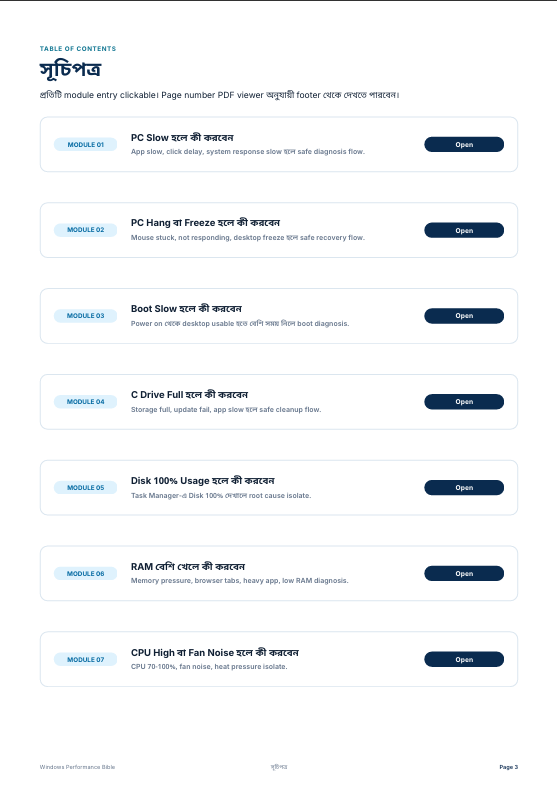
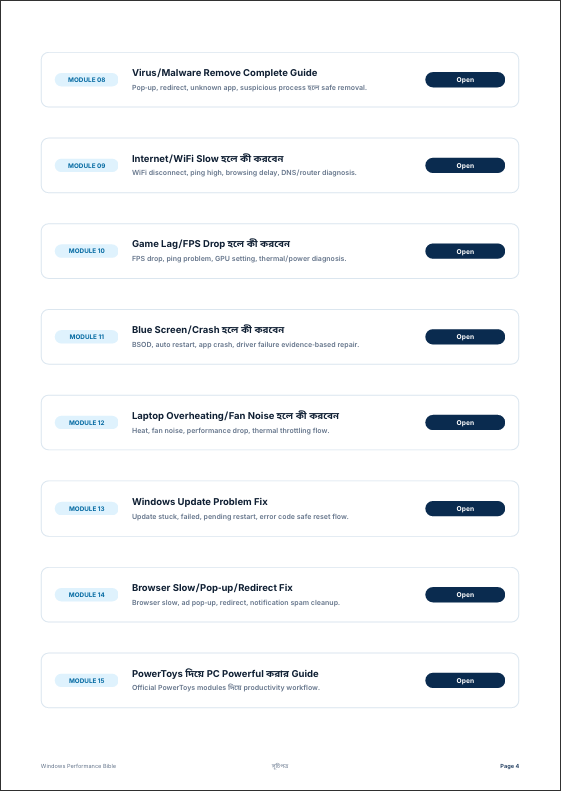
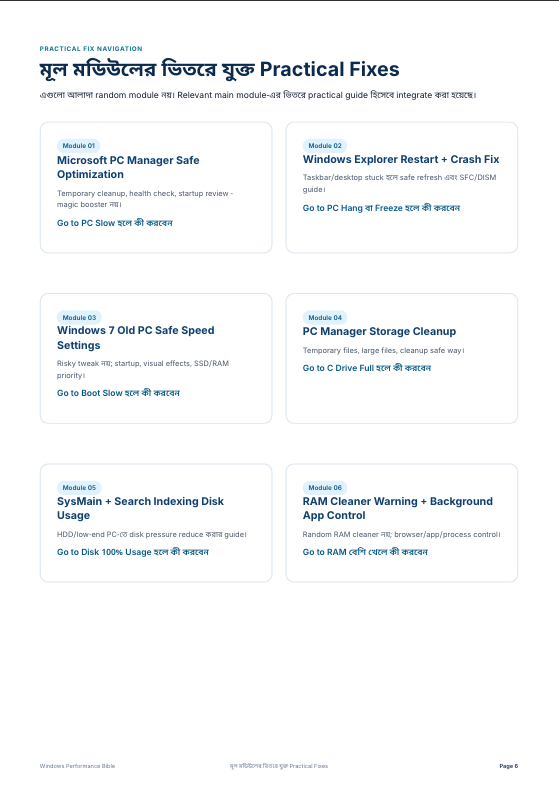
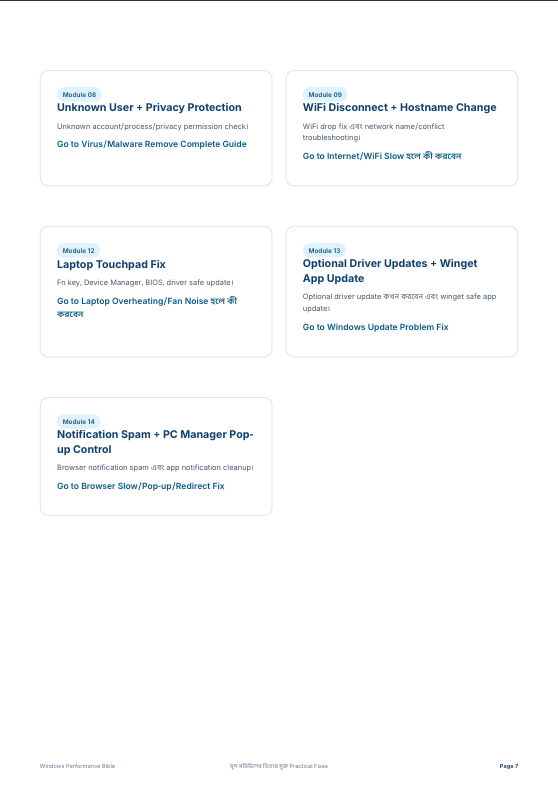
Clickable সূচিপত্র, module link এবং problem-based Solution Finder থাকায় প্রয়োজনীয় topic দ্রুত খুঁজে পাবেন।
Windows 7/8/10/11 Support
Windows 10/11 এর পাশাপাশি Windows 7/8 userদের জন্য alternative command ও Control Panel path দেওয়া আছে।
Useful Tools একসাথে
PowerToys, PC Manager, WinUtil, Wintoys, Winhance, O&O ShutUp10++ এবং cleanup tools সম্পর্কে practical guide পাবেন।
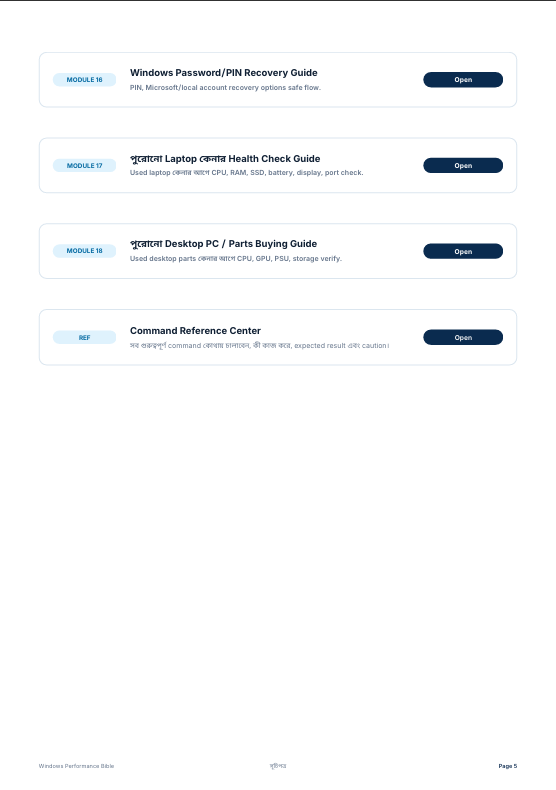
Used PC/Laptop Checklist
পুরানো laptop বা PC কেনার আগে battery, SSD/HDD, display, activation এবং performance check করতে পারবেন।
নিজের Windows PC/Laptop faster, smoother, safer এবং more productive করতে চাইলে এই বইটি আপনার জন্য।
এখনই কিনে ফেলুন →এই বই থেকে আপনি যা জানতে পারবেন
14টি practical module-এ সাজানো complete Windows optimization, security, gaming, PowerToys, tools এবং buying checklist handbook.
Windows Optimization Basics
CPU, RAM, Disk, GPU usage, Task Manager, Restore Point, system health check।
Speed & Smoothness Optimization
Startup apps, background load, visual effects, boot speed এবং smooth performance।
Storage, SSD & HDD Performance
Storage cleanup, SSD/TRIM, disk health, large files এবং drive maintenance।
Gaming Performance Optimization
FPS boost, Game Mode, GPU settings, input lag, ping এবং stable gaming।
Security & Privacy Optimization
Windows Defender, firewall, app permission, privacy settings এবং safe browsing।
WiFi & Network Optimization
DNS, ping test, flushdns, router restart, network reset এবং slow internet fix।
Hidden Windows Features
Run commands, admin tools, hidden utilities, system panels এবং useful Windows features।
Microsoft PowerToys Mastery POPULAR
FancyZones, PowerRename, Text Extractor, Always on Top, Color Picker এবং workflow boost।
Productivity & File Explorer Tricks
Keyboard shortcuts, clipboard, multitasking, file management এবং daily workflow।
Troubleshooting & Maintenance
Slow PC, freeze, crash, blue screen, driver issue, repair tools এবং recovery।
Cheat Sheets & Quick References
CMD, PowerShell, Run commands, shortcuts, checklist এবং quick reference guide।
Third-Party Tweaking Tools TOOLS
WinUtil, PC Manager, Wintoys, Winhance, O&O ShutUp10++, BCUninstaller এবং BleachBit।
Used PC/Laptop Buying Checklist
Battery, SSD/HDD, display, keyboard, activation, performance test এবং red flags।
Windows 7/8 Legacy Guide
Windows 7/8 alternative commands, Control Panel paths এবং old PC optimization safety।
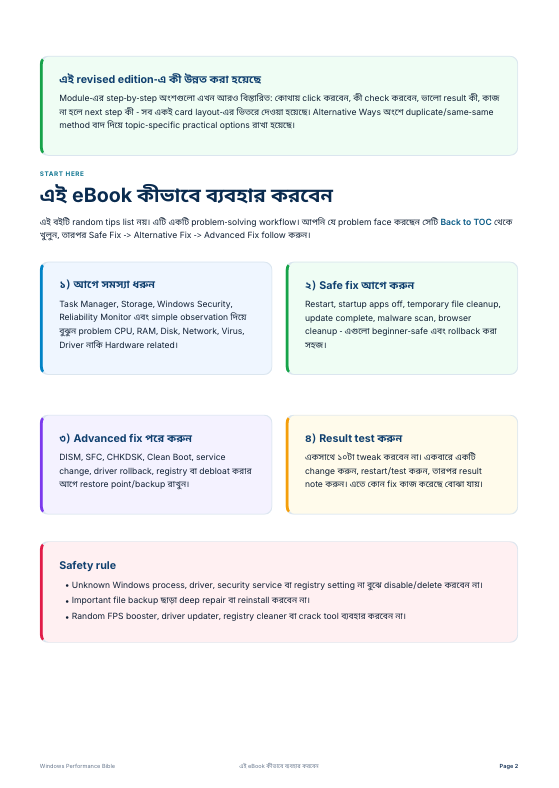
Book Preview
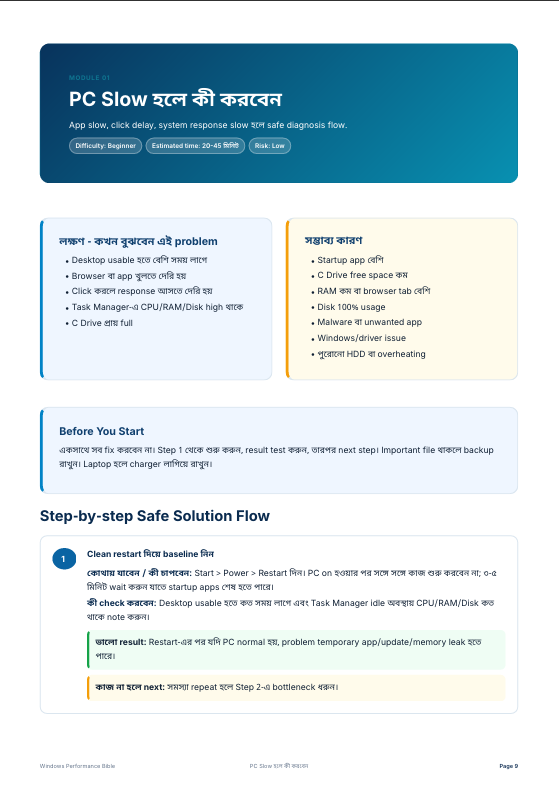
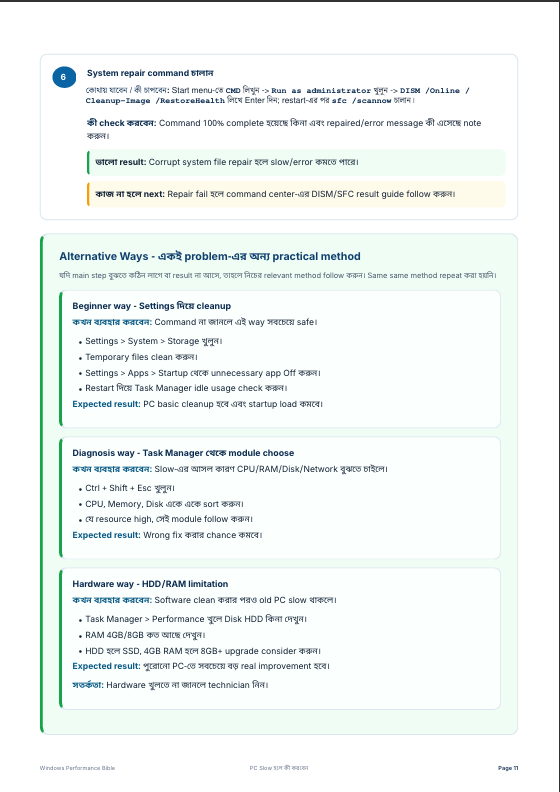
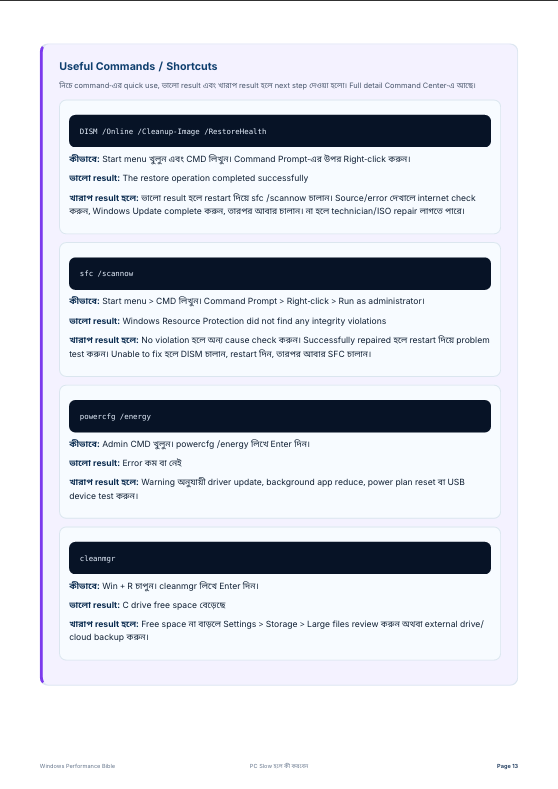
এই বইটি কার জন্য?
Windows Performance Bible এমনভাবে তৈরি করা হয়েছে, যেন beginner থেকে power user—সবাই নিজের PC/Laptop সহজে বুঝে optimize করতে পারে।
ছাত্র-ছাত্রী
Study, assignment, browsing, online class এবং daily PC usage আরও smooth করতে।
Office User
Daily work, document, browser, Zoom/Meet এবং multitasking error-free রাখতে।
Low-end PC User
পুরানো বা slow PC/Laptop কে clean, faster এবং usable রাখার practical guide।
Gamers
FPS stability, lag, input delay, ping, DNS এবং gaming performance improve করতে।
Technician
Client PC troubleshoot, diagnose এবং maintenance করার checklist হিসেবে ব্যবহার করতে।
Power User
PowerToys, WinUtil, shortcuts, hidden Windows tools এবং advanced workflow শিখতে।
Security User
Defender, firewall, privacy settings, app permission এবং safe browsing habit বুঝতে।
Used Laptop Buyer
পুরানো laptop/PC কেনার আগে battery, SSD/HDD, display, activation ও red flag check করতে।
কেন এই বই YouTube টিপসের চেয়ে অনেক ভালো?
YouTube বা random blog থেকে এলোমেলো tips দেখার বদলে এখানে আপনি পাচ্ছেন একটি complete, structured এবং practical Windows performance handbook।
| বিষয় | Windows Performance Bible | YouTube / Random Blog |
|---|---|---|
| Learning Structure | ✅ 14টি module অনুযায়ী step-by-step সাজানো | ❌ এলোমেলো video বা article |
| Total Practical Tips | ✅ 400+ practical Windows optimization tips | ❌ সাধারণত কয়েকটা random tips |
| Beginner Friendly | ✅ সহজ Bangla explanation, clear steps এবং result বুঝার guide | ❌ অনেক সময় fast, confusing বা incomplete |
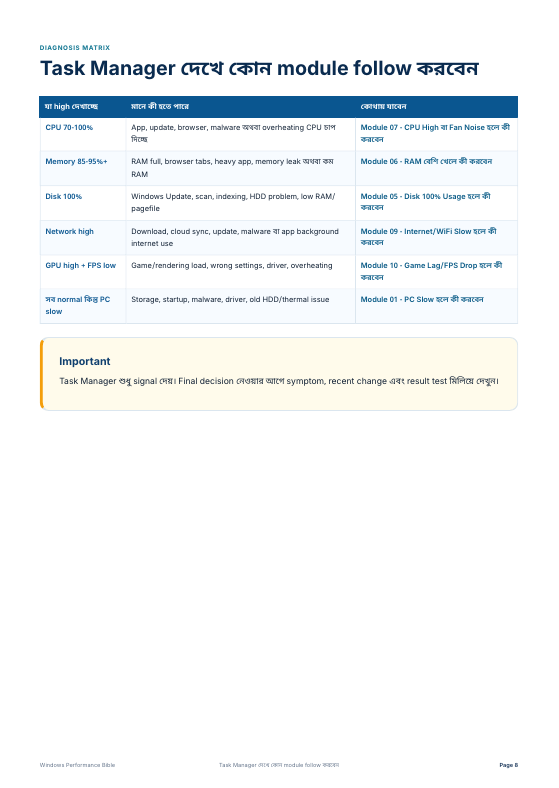
| Problem Based Solution | ✅ PC slow, game lag, WiFi slow, storage full, blue screen—problem অনুযায়ী Solution Finder আছে | ❌ problem অনুযায়ী organized system থাকে না |
| Clickable Navigation | ✅ Clickable সূচিপত্র, module link এবং topic link included | ❌ video/blog এ দ্রুত specific topic খুঁজে পাওয়া কঠিন |
| Safety Warning | ✅ risky tweak এর আগে warning, backup এবং restore point reminder আছে | ❌ অনেক সময় warning ছাড়া dangerous tweak দেখানো হয় |
| Windows 7/8 Support | ✅ Windows 7/8 এর জন্য specific command, Control Panel path এবং alternative steps আছে | ❌ বেশিরভাগ content শুধু Windows 10/11 focus করে |
| Gaming Performance | ✅ FPS, Game Mode, GPU settings, input lag, ping এবং DNS optimization included | ❌ একেক video তে একেক তথ্য, complete flow নেই |
| Security & Privacy | ✅ Defender, firewall, app permission, browser safety এবং privacy settings covered | ❌ performance tips থাকে, কিন্তু safety/privacy অনেক সময় ignore হয় |
| PowerToys Guide | ✅ Microsoft PowerToys নিয়ে dedicated module আছে | ❌ আলাদা আলাদা video দেখতে হয় |
| Third-Party Tools | ✅ WinUtil, PC Manager, Wintoys, Winhance, O&O ShutUp10++ এর practical usage আছে | ❌ কোন tool safe আর কোনটা risky—clear থাকে না |
| Used PC Buying Guide | ✅ পুরানো laptop/PC কেনার আগে battery, SSD/HDD, display, activation এবং red flag checklist আছে | ❌ সাধারণ optimization video তে buying checklist থাকে না |
| Maintenance Routine | ✅ Daily, weekly, monthly PC maintenance বুঝার মতো guide আছে | ❌ follow-up routine বা checklist থাকে না |
| Offline Reference | ✅ একবার PDF download করলে যেকোনো সময় পড়া যাবে | ❌ internet, ads, search এবং multiple video এর উপর depend করতে হয় |
সাধারণ জিজ্ঞাসা (FAQ)
এই বইটি কাদের জন্য?
এই বইটি Windows 7/8/10/11 user, student, office worker, freelancer, gamer, low-end PC/laptop user এবং যারা নিজের PC নিজে optimize করতে চান—তাদের জন্য তৈরি করা হয়েছে।
আমি Beginner হলেও বুঝতে পারবো?
হ্যাঁ। প্রতিটি tip সহজ Bangla ভাষায় explain করা হয়েছে। কোথায় যেতে হবে, কী check করতে হবে, কী করলে problem বুঝবেন এবং সব ঠিক আছে কিনা—এসব step-by-step দেওয়া আছে।
এই বই পড়ে PC faster করা যাবে?
বইটিতে startup apps, background process, storage cleanup, visual effects, Windows update, malware scan, SSD/HDD optimization এবং safe performance tweaks দেওয়া আছে, যা ঠিকভাবে follow করলে PC অনেক smooth হতে পারে।
Gaming performance এর জন্য কী আছে?
Game Mode, GPU settings, FPS stability, input lag, background apps, power plan, DNS, ping test এবং online gaming optimization নিয়ে আলাদা module আছে।
Windows 7/8 এ কাজ করবে?
অনেক basic optimization Windows 7/8 এও করা যায়। বইতে Windows 7/8 এর জন্য আলাদা command, Control Panel path এবং alternative steps দেওয়া আছে। তবে security-এর জন্য updated Windows ব্যবহার করা বেশি ভালো।
এই বইতে কি CMD বা PowerShell command আছে?
হ্যাঁ। CMD, PowerShell, Run commands, network reset, system repair, SFC, DISM, flushdns এবং troubleshooting related useful commands দেওয়া আছে। তবে command চালানোর আগে warning ও safe instruction follow করতে বলা হয়েছে।
Dangerous registry trick আছে?
না। Unsafe tweak avoid করা হয়েছে। যেসব জায়গায় advanced change দরকার, সেখানে restore point, backup এবং warning দেওয়া আছে যেন user ভুল করলে আগের অবস্থায় ফিরে যেতে পারে।
Security এবং privacy নিয়ে কী শেখানো হয়েছে?
Windows Security, Defender scan, firewall, app permission, browser safety, privacy settings, suspicious app check এবং safe browsing habit নিয়ে practical guide দেওয়া আছে।
PowerToys, WinUtil বা PC Manager কীভাবে use করতে হবে?
বইতে Microsoft PowerToys, PC Manager, WinUtil, Wintoys, Winhance, O&O ShutUp10++ এবং cleanup tools নিয়ে আলাদা module আছে। কোন tool কখন use করবেন এবং কোন ক্ষেত্রে careful থাকতে হবে—তা explain করা হয়েছে।
Used laptop বা পুরানো PC কেনার আগে এই বই সাহায্য করবে?
হ্যাঁ। পুরানো laptop/PC কেনার আগে battery health, SSD/HDD condition, display, keyboard, port, activation, performance test এবং red flag check করার জন্য complete checklist দেওয়া আছে।
বইয়ের ভেতরে topic খুঁজে পাওয়া সহজ?
হ্যাঁ। বইতে clickable Solution Finder, clickable সূচিপত্র, module link এবং topic link দেওয়া আছে। কোনো problem অনুযায়ী click করলে সরাসরি related page-এ যেতে পারবেন।
এই বই follow করলে কি সব problem guaranteed solve হবে?
সব PC problem একরকম না। তবে বইটি আপনাকে problem identify করা, safe fix apply করা, result check করা এবং next troubleshooting step বুঝতে সাহায্য করবে। Hardware damage থাকলে technician support দরকার হতে পারে।
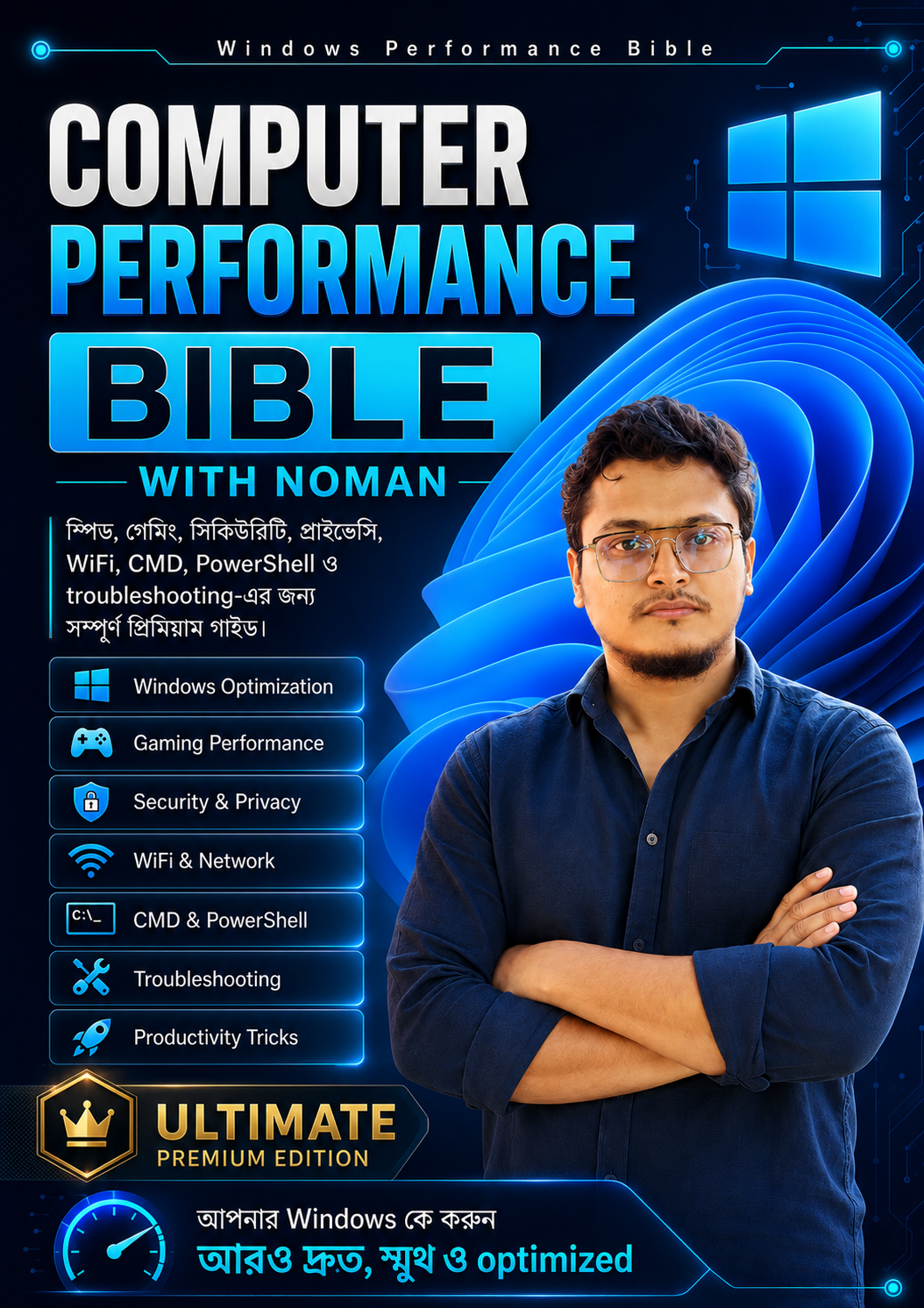
Windows Performance Bible
Practical Windows optimization tips দিয়ে আপনার Windows PC কে করুন আরও দ্রুত, স্মুথ, secure এবং optimized.